

Support
NEXEO | HDX™
With Digital HDX Technology
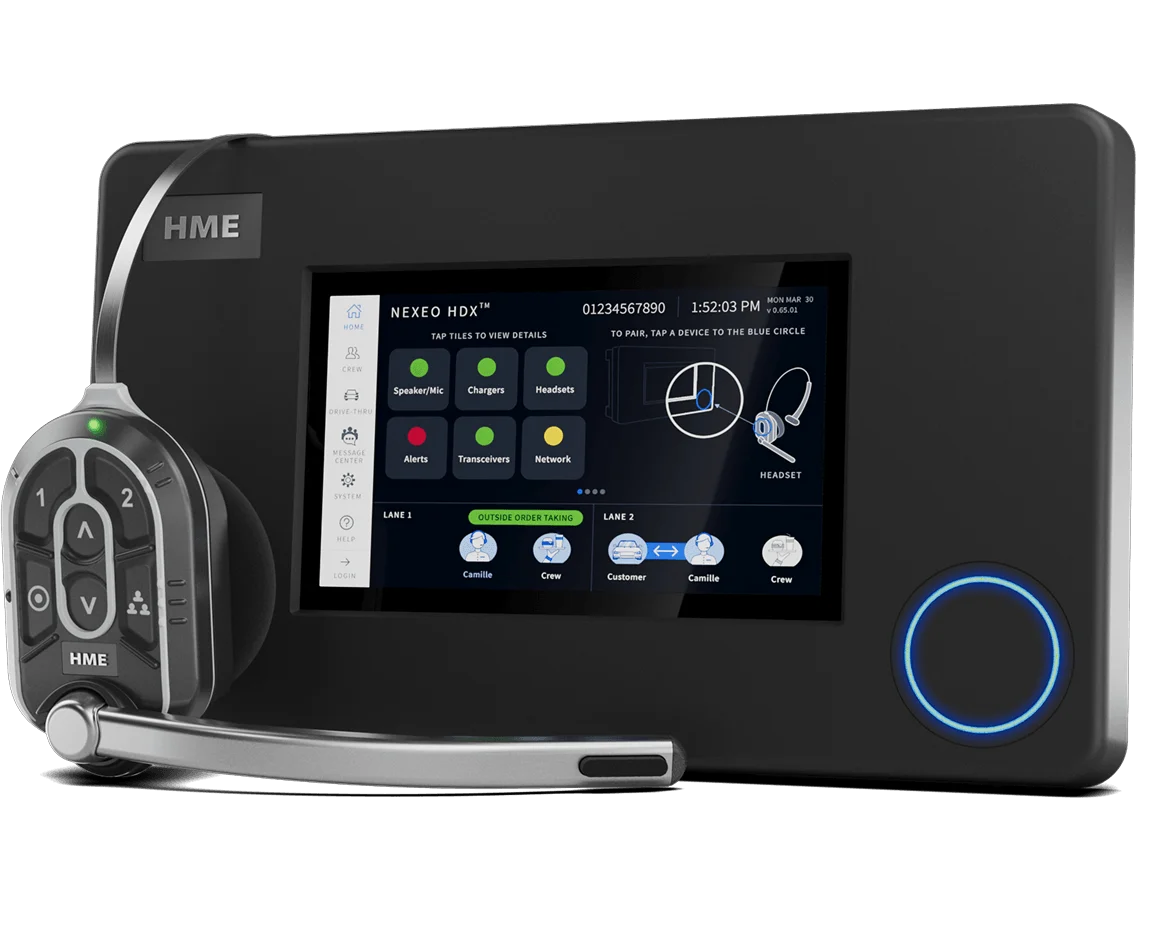
Ensure you have a fully charged battery in your headset before starting the pairing process.
Turn on your headset by pressing the blue button.
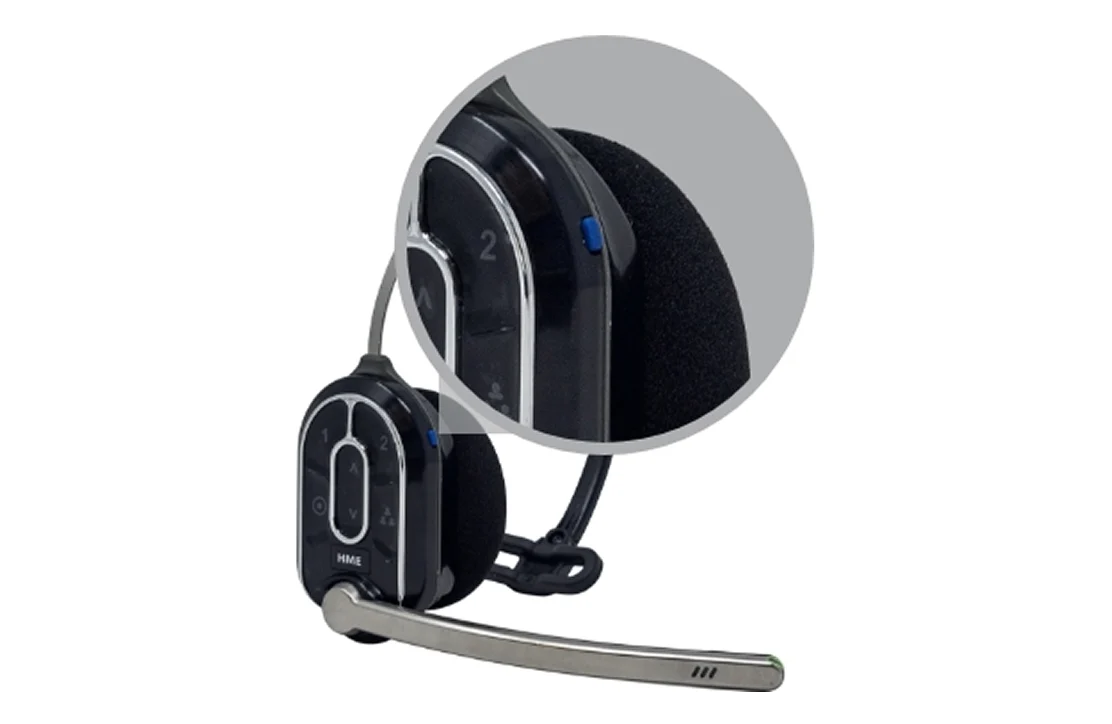
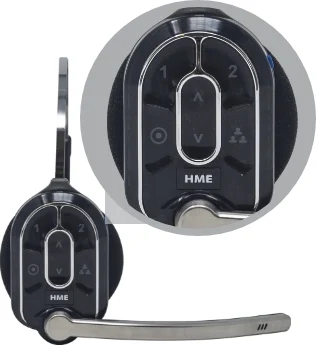
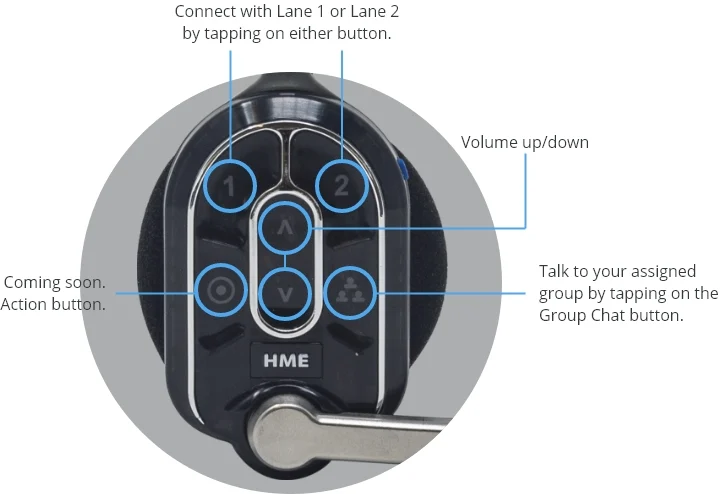
Locate the pairing buttons on the side of the headset located between the volume up and volume down buttons.
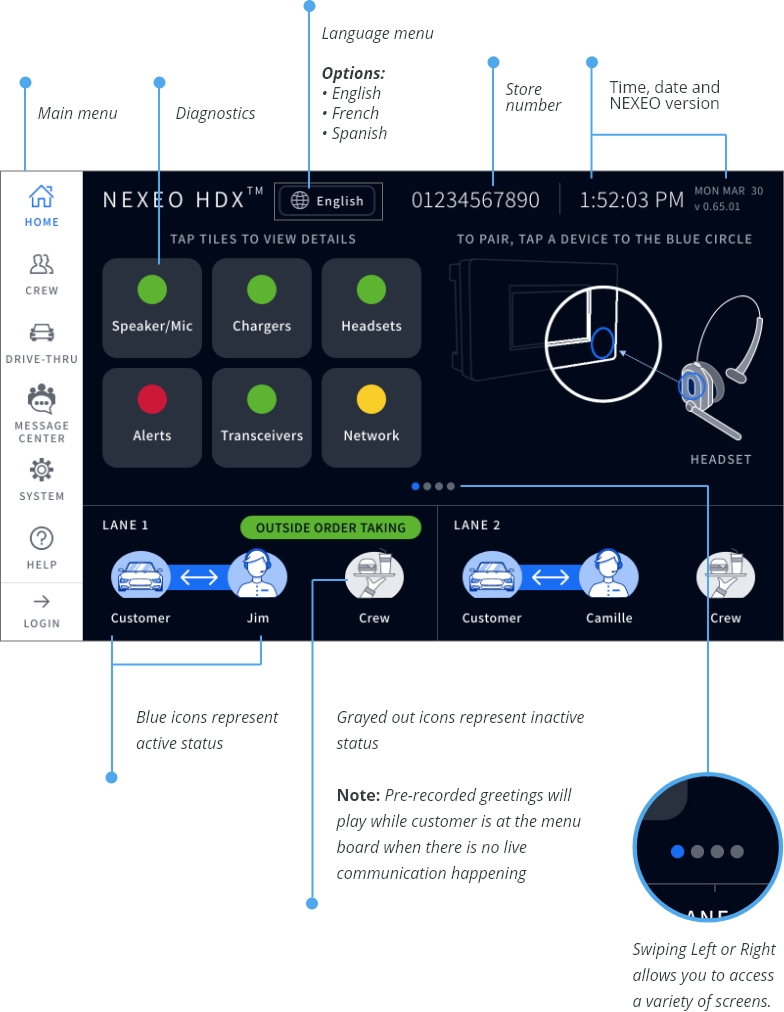
Locate the pairing ring on the base station.
Note: When idle, the sensor will be illuminated with a solid blue ring.
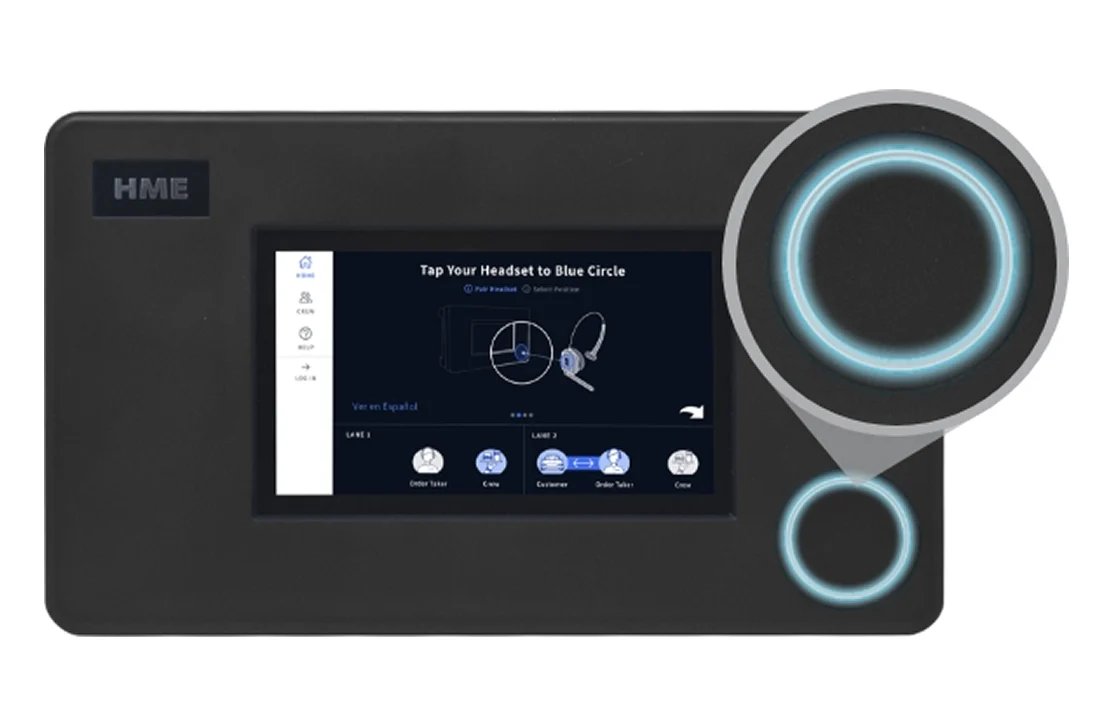
Bring the headset pairing area to the pairing ring on the base station. The solid blue ring will turn into a swirling green ring, indicating that the pairing is in process. Pairing is completed and successful when swirling green ring turns solid green.
If pairing fails, the ring will turn red. Try again by holding headset steadily, centered, and flush against the Pairing Ring on the base station.
Note: Headset movement and distance may cause pairing errors. The base station will notify you if the headset battery is running low.
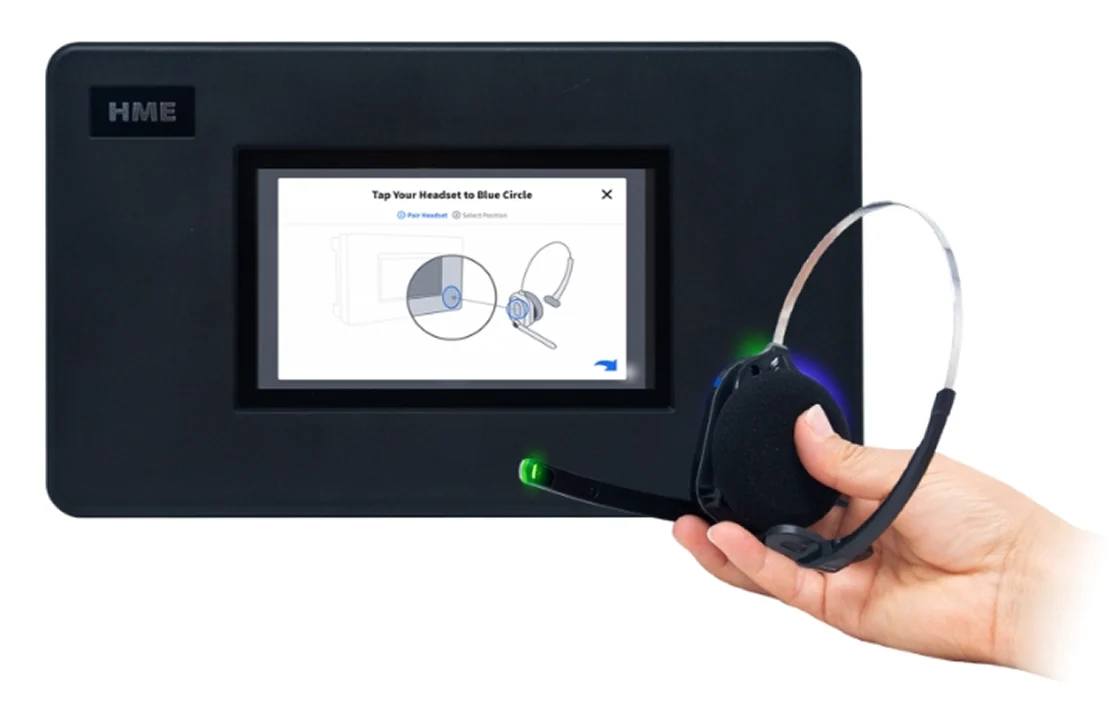
Ensure you hold the headset by the outer edge to avoid unintentionally tapping the interface.
Once headset is paired, Select Your Position screen appears.
Select the position your Manager has assigned to you.
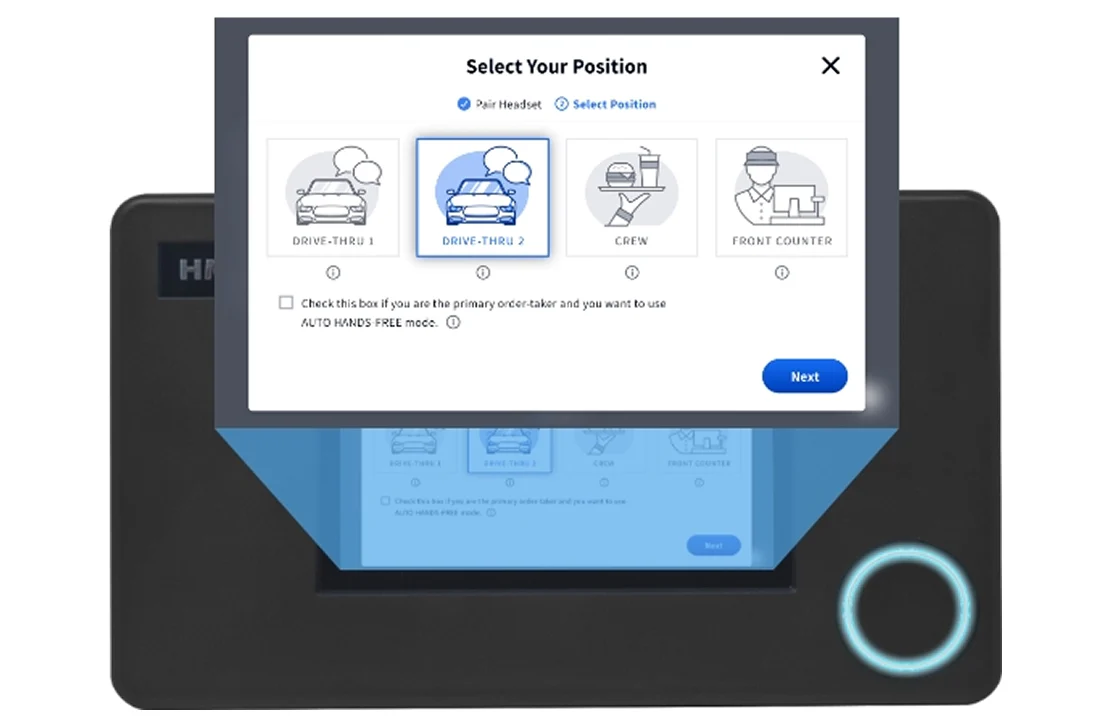
Once headset is paired, adjust headband by sliding it in and out of the headband cover attached to the headrest. Your headset is now ready to use.
Turn on your headset by pressing the blue button.
Note: When the headset has been paired to the base station, ensure you hold the headset by the outer edge to avoid unintentionally tapping the interface.
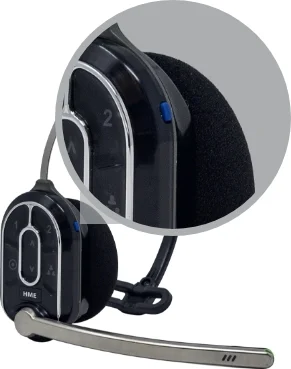
Insert the battery in area below the touch panel.
To remove the battery:
- Press the silver release button above the ear pad.
- Pull down on the raised edge at the bottom of the battery.
Pro Tip: The raised indicators on the outside of the bezel edge of three key areas, help you navigate to correct touch points.
Support Resources
NEXEO | HDX Crew Communication Platform – Quick Reference Installation Guide
NEXEO | HDX Crew Communication Platform – Quick Start User’s Guide
NEXEO | HDX Crew Communication Platform – Regulatory and Compliance Guide
NEXEO | HDX Crew Communication Platform – User’s Guide
NEXEO | HDX Quick Reference Installation Guide – DM5 Microphone
NEXEO | HDX Quick Reference Installation Guide – IB7000 Interface Box
NEXEO | HDX Quick Reference Installation Guide – RT7000 Remote Transceiver
NEXEO | HDX Quick Reference Installation Guide – SP10 Speaker
NEXEO | HDX Quick Reference Installation Guide – SS7000 Speaker
NEXEO | HDX Quick Reference Installation Guide – TI7000 Telephone Interface
NEXEO | HDX Quick Start Guide – AC70 Battery Charger
NEXEO | HDX Quick Start Guide – HS7000 Headset

Video Tutorials and Guides
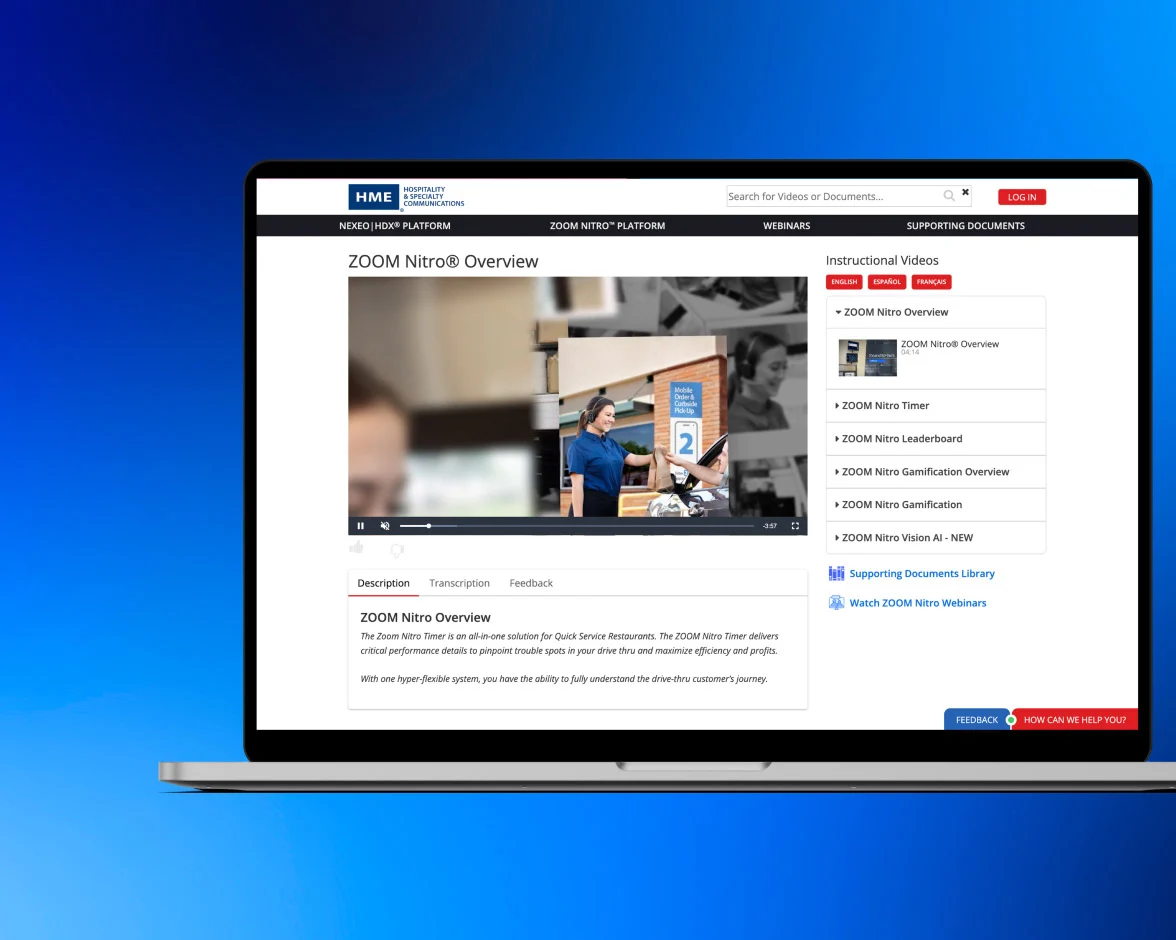
How to videos for common help topics, plus tips for getting the most out of your HME equipment.
Contact Us
Need Immediate Support?
We are available by live chat, phone, and email. Or fill out the form and we’ll call you at your convenience.
Hours of Operation
Monday – Friday | 5:00AM – 7:00PM PST
Saturday & Sunday | 7:00AM – 3:30PM PST
* indicates required fields